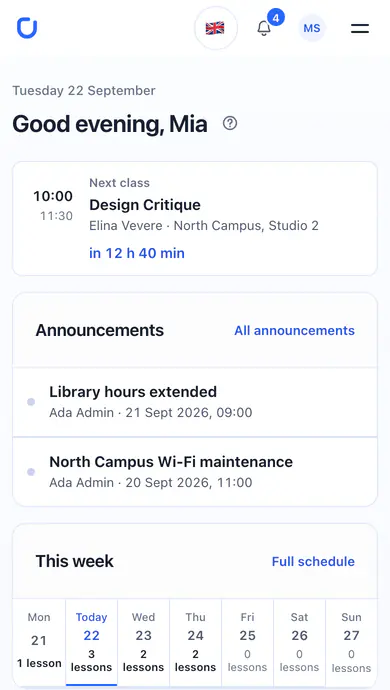
Pick up a course where you left off.
Each course keeps its lessons, published files, links and videos in order, with your progress beside them — and the Library indexes all of it, filtered by course or material type.

A little less chaos. A lot more campus.
Your courses, your next deadline, your people. A student portal that brings it all together.
Account requests are reviewed by your faculty. See how access works

From your first lecture to your next big idea, make room for the things that matter.
Swipe to explore
Each course keeps its lessons, published files, links and videos in order, with your progress beside them — and the Library indexes all of it, filtered by course or material type.
Every academic group has its own chat in the portal, unread messages marked, teachers in the same room. Longer questions belong in the course forums.

Every listing carries its price, its condition and the student selling it, and your question goes straight to them. Post your own in the same marketplace, searchable by keyword and category.

University, course and group announcements arrive in one list with their attachments, and the newest ones also wait on your dashboard.

The next class, upcoming work and latest results come together on your dashboard. Open a detail when you need it.
Switch between your daily and weekly timetable. Check the room or online class link, open lesson materials and see cancelled sessions clearly marked.

See deadlines across your courses, save a draft and submit text or files. Read teacher comments and resubmit work when it is returned for revision.

Find published assessment results, course averages and teacher feedback in your gradebook. Final grades appear when your teacher records them.

Search published files, documents, videos and links from your enrolled courses. Filter by course or material type and jump back to the related lesson.

Real screens from the ComUni student portal, captured with demonstration data.See how to get access
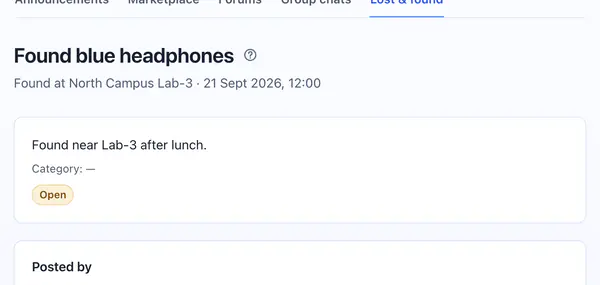
A misplaced notebook. An update you need. A question along the way. There’s a place for those, too.
Each post says where and when the item turned up and who found it, so the owner knows what to describe when they claim it. Mark it returned once it is back.
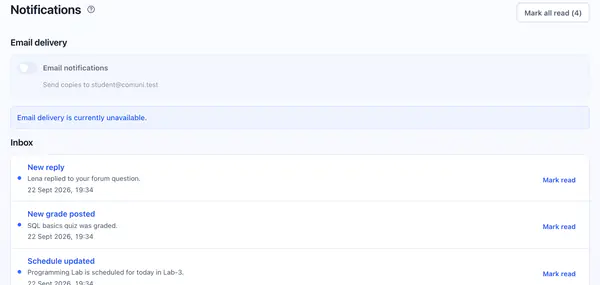
Keep announcements, replies and inquiries in your notification inbox. Opt into email copies when email delivery is available, or keep everything in the portal.
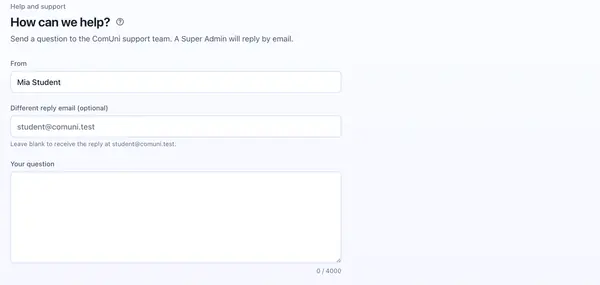
Each portal section has its own help guide. Still stuck? Send a question through Support and receive a reply by email.
Getting to know ComUni? Start here.
Every portal section has its own help guide, and Support sends your question to the team, which replies by email.
See how to get accessComUni is a university student portal for course materials, schedules, assignments and grades, alongside announcements, group chats, forums, a student marketplace and lost & found. Your study dashboard reflects your enrolments and academic group.
Select “Get started” to request an account. Confirm your email so your faculty can review the request and your group. If approved, you receive an activation link to set your password. You can sign in after activation; submitting the request does not give immediate access.
Find courses in the catalogue by title, code, teacher or semester. Join an open course directly, or use the password your teacher provides. Your faculty assigns required subjects; closed courses need a teacher or faculty office to enrol you.
Yes. You can save a draft, attach files and submit your work. Once submitted, it can be edited again if your teacher returns it for revision. Grades and feedback appear after publication. Late submissions are marked as late.
Yes. Open ComUni in your phone’s browser to access your university space wherever you are. No separate app download is needed.
Email copies of notifications are optional and off until you opt in. If email delivery is available, you can enable them in your notification settings. Ordinary group chat messages do not trigger emails, and your in-app inbox continues to work with email turned off.
You choose whether your bio and avatar colour are visible to ComUni members. With a private profile, other members still see your name, initials and account type. Your private university details are only shown to you.
The landing page and student portal are available in English and Romanian. Switch this page using EN / RO. In the portal, choose your interface language in profile settings.
ComUni accounts are approved by your faculty, so access takes three short steps rather than one click.
Enter your name and email in the portal. Suggest your academic group, or choose “Not sure” so your faculty can assign it.
Open the confirmation email to send your request for review. Your faculty checks your details and confirms your group.
After approval, use the activation email to choose your password. Sign in to find your courses, timetable and group community.
Already part of ComUni? Log in